Graphics

Databending using Audacity

Thanks to some help on the Audacity forum I finally know out how to use Audacity to databend. Previously I’d been using mhWavEdit, which has its limitations and just doesn’t feel as familiar as Audacity. From talk on the various databending discussion boards I found that people would often use tools like Cool Edit/Adobe Audition for their bends. Being on Linux and restricting myself to things that run natively (i.e. not under Wine) presented a new challenge. Part of my task was to replicate the methods others have found but under Linux. My ongoing quest is to find things that only Linux can do, which I’m sure I’ll find when I eventually figure out how to pipe data through one program into another!

Video conversion glitch

I made this video at a training day in using Macs/video editing software with children and community groups. I completed the task as asked but then switched to my laptop, fired up kdenlive and tried to see what it was capable of. It was upon exporting to ogg that I got a nice surprise.

Whilst this kind of glitch is rather nice one must be careful not to be reliant on it for production as at any time it could be fixed. Effects such as this Photoshop truncating glitch are now only possible in Photoshop 6 as the bug that caused it has been fixed. This is why I’m now more on the lookout for programs/scripts and guaranteed methods for reproducing glitch effects. The ones that tend to be best at this are ones that can import any data, an example of this being Audacity’s ability to attempt to load any file you load into it.

Databending: Where next?

I’ve been exploring databending for awhile now and whilst I quite like it I do wonder where it can go next, or rather, where I can take it next. Whilst I like the chaos and apparent random results achieved in opening up an image file in a hex/text editor and mucking around I feel that more could be done with the result. I feel that the modified image (or sound) should part of a design, not the design itself. With that in mind I’ve been doing an experiment mixing the chaotic but more controlled output of Alchemy and several modified images

Family Portrait

After seeing some of my recent work I was asked to do a family portrait. The last time I did a portrait on such a large scale was in 2007 in Adobe Illustrator and the last time I did a realistic portrait was probably back in 2006 of an old photographer buddy. I’ve been using Inkscape for just over a year now and whilst I’ve been doing little bits and pieces I haven’t actually done a major illustration.

Making a Disco Ball using Blender and Inkscape

Awhile back I started doing a few experiments using Blender and Inkscape together. One of my creations from this was a ball.

Blender/Inkscape Sphere (by hellocatfood)

Recently one Inkscape user created a tutorial describing how to make a disco ball directly in Inkscape. Looking back at that ball that I made it kinda resembles a disco ball, so I decided to write a tutorial on how I did it.

Bending a penguin

Awhile back I did a quick vector illustration of a penguin. It was nothing much really but as far as penguins go I quite liked this one. Recently (as in, the last four months) I’ve been interested in databending. Have you ever had an image you’ve taken come out like it’s been through a shredder? That’s the effect that most databenders are after. In a way it’s like trying to reproduce an error. Once you’ve done it a few times you get to learn what effects different methods can produce but even then it’s very unpredictable. For a short tutorial on databending an image, take a look at the one I wrote for fizzPOP.

Blending Inkscape and Blender

One of the things I’ve always wanted to do is to work on an image in a 3D environment but then export the resultant image to an svg. Being the open source nut that I am my main weapons of choice are Blender for 3D work and Inkscape for vector. These programs have their advantages and their disadvantages. The main advantage they have over many similar programs is that they’re open source and free. They’re very capable products and are used quite widely and are being actively developed. In fact, Inkscape is getting ready to release version 0.47 (I’ve used a prerelease and it’s awesome)

More Blender Renders

Since my last post about using Blender with vectors I’ve explored taking vectors into it and then exporting jpegs. Below is an image I stated creating awhile back in Inkscape but never finished.

[caption id=“attachment_875” align=“alignnone” width=“212” caption=“Click for full size”]Click for full size [/caption]

This is what it looks like after I’ve taken it into Blender and messed around with it a little bit

[caption id=“attachment_876” align=“alignnone” width=“300” caption=“Render from Blender. Click for full size”]Render from Blender. Click for full size [/caption]

Blender renders

For the past month or two I’ve been getting my head around Blender to do some 3D modelling. It’s a tough program to learn, but with the aid of some very useful tutorials and strong community support I feel I’m getting somewhere!

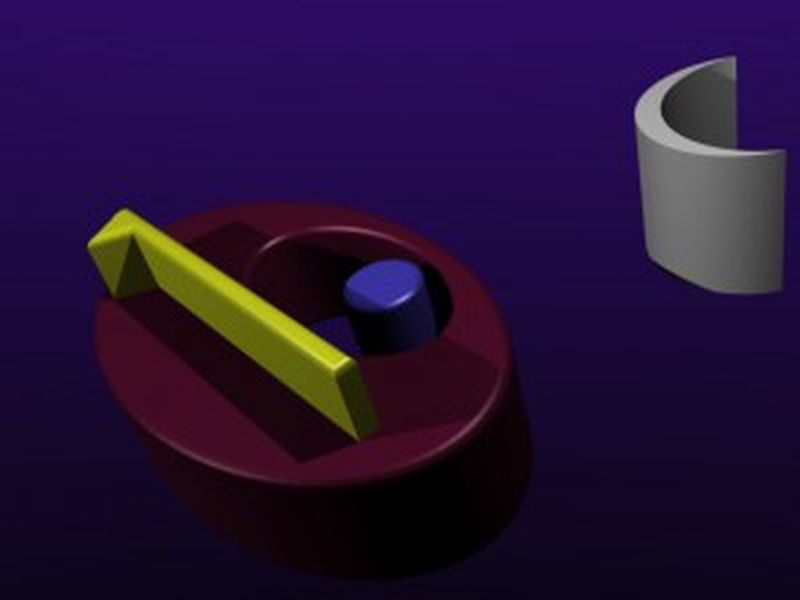
As well as using Inkscape to make vectors I want to explore the possibilities of using Blender to render 3D models as vectors. There’s so many benefits of this approach as long as it works. To do this I’ve tried out to vector rendering scripts written in the python programming language, VRM and Pantograph. VRM was easy to install - just dropped the file in the scripts folder - but Pantograph was a bit more problematic. If you’re going to install it make sure you have the right Python libraries installed! Here’s the original Blender output: