tag: Minterpolate
Motion Interpolation for Glitch Aesthetics using FFmpeg part 9
Below are a few examples of how you can use FFmpeg’s minterpolate to create artworks with a glitch aesthetic.
You can read about how I used it for an artwork in this blog post. You can also grab the source file for these videos here. Give it a try yourself!
mc_mode=aobmc:me_mode=bilat:me=ds
ffmpeg -i cat_rainbow_original.mp4 -filter:v "setpts=62.5*PTS,minterpolate='fps=25:mb_size=16:search_param=400:vsbmc=0:scd=none:mc_mode=aobmc:me_mode=bilat:me=ds'" 033_mc_mode=aobmc_me_mode=bilat_me=ds.mp4
mc_mode=aobmc:me_mode=bilat:me=hexbs
ffmpeg -i cat_rainbow_original.mp4 -filter:v "setpts=62.5*PTS,minterpolate='fps=25:mb_size=16:search_param=400:vsbmc=0:scd=none:mc_mode=aobmc:me_mode=bilat:me=hexbs'" 034_mc_mode=aobmc_me_mode=bilat_me=hexbs.mp4
mc_mode=aobmc:me_mode=bilat:me=epzs
ffmpeg -i cat_rainbow_original.mp4 -filter:v "setpts=62.5*PTS,minterpolate='fps=25:mb_size=16:search_param=400:vsbmc=0:scd=none:mc_mode=aobmc:me_mode=bilat:me=epzs'" 035_mc_mode=aobmc_me_mode=bilat_me=epzs.mp4
mc_mode=aobmc:me_mode=bilat:me=umh
ffmpeg -i cat_rainbow_original.mp4 -filter:v "setpts=62.5*PTS,minterpolate='fps=25:mb_size=16:search_param=400:vsbmc=0:scd=none:mc_mode=aobmc:me_mode=bilat:me=umh'" 036_mc_mode=aobmc_me_mode=bilat_me=umh.mp4
This blog post is part of a series. Click the links below to see more examples of FFmpeg’s motion interpolation:
Motion Interpolation for Glitch Aesthetics using FFmpeg part 8
Below are a few examples of how you can use FFmpeg’s minterpolate to create artworks with a glitch aesthetic.
You can read about how I used it for an artwork in this blog post. You can also grab the source file for these videos here. Give it a try yourself!
mc_mode=aobmc:me_mode=bilat:me=tss
ffmpeg -i cat_rainbow_original.mp4 -filter:v "setpts=62.5*PTS,minterpolate='fps=25:mb_size=16:search_param=400:vsbmc=0:scd=none:mc_mode=aobmc:me_mode=bilat:me=tss'" 029_mc_mode=aobmc_me_mode=bilat_me=tss.mp4
mc_mode=aobmc:me_mode=bilat:me=tdls
ffmpeg -i cat_rainbow_original.mp4 -filter:v "setpts=62.5*PTS,minterpolate='fps=25:mb_size=16:search_param=400:vsbmc=0:scd=none:mc_mode=aobmc:me_mode=bilat:me=tdls'" 030_mc_mode=aobmc_me_mode=bilat_me=tdls.mp4
mc_mode=aobmc:me_mode=bilat:me=ntss
ffmpeg -i cat_rainbow_original.mp4 -filter:v "setpts=62.5*PTS,minterpolate='fps=25:mb_size=16:search_param=400:vsbmc=0:scd=none:mc_mode=aobmc:me_mode=bilat:me=ntss'" 031_mc_mode=aobmc_me_mode=bilat_me=ntss.mp4
mc_mode=aobmc:me_mode=bilat:me=fss
ffmpeg -i cat_rainbow_original.mp4 -filter:v "setpts=62.5*PTS,minterpolate='fps=25:mb_size=16:search_param=400:vsbmc=0:scd=none:mc_mode=aobmc:me_mode=bilat:me=fss'" 032_mc_mode=aobmc_me_mode=bilat_me=fss.mp4
This blog post is part of a series. Click the links below to see more examples of FFmpeg’s motion interpolation:
Motion Interpolation for Glitch Aesthetics using FFmpeg part 7
Below are a few examples of how you can use FFmpeg’s minterpolate to create artworks with a glitch aesthetic.
You can read about how I used it for an artwork in this blog post. You can also grab the source file for these videos here. Give it a try yourself!
mc_mode=obmc:me_mode=bilat:me=hexbs
ffmpeg -i cat_rainbow_original.mp4 -filter:v "setpts=62.5*PTS,minterpolate='fps=25:mb_size=16:search_param=400:vsbmc=0:scd=none:mc_mode=obmc:me_mode=bilat:me=hexbs'" 025_mc_mode=obmc_me_mode=bilat_me=hexbs.mp4
mc_mode=obmc:me_mode=bilat:me=epzs
ffmpeg -i cat_rainbow_original.mp4 -filter:v "setpts=62.5*PTS,minterpolate='fps=25:mb_size=16:search_param=400:vsbmc=0:scd=none:mc_mode=obmc:me_mode=bilat:me=epzs'" 026_mc_mode=obmc_me_mode=bilat_me=epzs.mp4
mc_mode=obmc:me_mode=bilat:me=umh
ffmpeg -i cat_rainbow_original.mp4 -filter:v "setpts=62.5*PTS,minterpolate='fps=25:mb_size=16:search_param=400:vsbmc=0:scd=none:mc_mode=obmc:me_mode=bilat:me=umh'" 027_mc_mode=obmc_me_mode=bilat_me=umh.mp4
mc_mode=aobmc:me_mode=bilat:me=esa
ffmpeg -i cat_rainbow_original.mp4 -filter:v "setpts=62.5*PTS,minterpolate='fps=25:mb_size=16:search_param=400:vsbmc=0:scd=none:mc_mode=aobmc:me_mode=bilat:me=esa'" 028_mc_mode=aobmc_me_mode=bilat_me=esa.mp4
This blog post is part of a series. Click the links below to see more examples of FFmpeg’s motion interpolation:
Motion Interpolation for Glitch Aesthetics using FFmpeg part 6
Below are a few examples of how you can use FFmpeg’s minterpolate to create artworks with a glitch aesthetic.
You can read about how I used it for an artwork in this blog post. You can also grab the source file for these videos here. Give it a try yourself!
mc_mode=obmc:me_mode=bilat:me=tdls
ffmpeg -i cat_rainbow_original.mp4 -filter:v "setpts=62.5*PTS,minterpolate='fps=25:mb_size=16:search_param=400:vsbmc=0:scd=none:mc_mode=obmc:me_mode=bilat:me=tdls'" 021_mc_mode=obmc_me_mode=bilat_me=tdls.mp4
mc_mode=obmc:me_mode=bilat:me=ntss
ffmpeg -i cat_rainbow_original.mp4 -filter:v "setpts=62.5*PTS,minterpolate='fps=25:mb_size=16:search_param=400:vsbmc=0:scd=none:mc_mode=obmc:me_mode=bilat:me=ntss'" 022_mc_mode=obmc_me_mode=bilat_me=ntss.mp4
mc_mode=obmc:me_mode=bilat:me=fss
ffmpeg -i cat_rainbow_original.mp4 -filter:v "setpts=62.5*PTS,minterpolate='fps=25:mb_size=16:search_param=400:vsbmc=0:scd=none:mc_mode=obmc:me_mode=bilat:me=fss'" 023_mc_mode=obmc_me_mode=bilat_me=fss.mp4
mc_mode=obmc:me_mode=bilat:me=ds
ffmpeg -i cat_rainbow_original.mp4 -filter:v "setpts=62.5*PTS,minterpolate='fps=25:mb_size=16:search_param=400:vsbmc=0:scd=none:mc_mode=obmc:me_mode=bilat:me=ds'" 024_mc_mode=obmc_me_mode=bilat_me=ds.mp4
This blog post is part of a series. Click the links below to see more examples of FFmpeg’s motion interpolation:
Motion Interpolation for Glitch Aesthetics using FFmpeg part 5
Below are a few examples of how you can use FFmpeg’s minterpolate to create artworks with a glitch aesthetic.
You can read about how I used it for an artwork in this blog post. You can also grab the source file for these videos here. Give it a try yourself!
mc_mode=aobmc:me_mode=bidir:me=epzs
ffmpeg -i cat_rainbow_original.mp4 -filter:v "setpts=62.5*PTS,minterpolate='fps=25:mb_size=16:search_param=400:vsbmc=0:scd=none:mc_mode=aobmc:me_mode=bidir:me=epzs:'" 017_mc_mode=aobmc_me_mode=bidir_me=epzs.mp4
mc_mode=aobmc:me_mode=bidir:me=umh
ffmpeg -i cat_rainbow_original.mp4 -filter:v "setpts=62.5*PTS,minterpolate='fps=25:mb_size=16:search_param=400:vsbmc=0:scd=none:mc_mode=aobmc:me_mode=bidir:me=umh'" 018_mc_mode=aobmc_me_mode=bidir_me=umh.mp4
mc_mode=obmc:me_mode=bilat:me=esa
ffmpeg -i cat_rainbow_original.mp4 -filter:v "setpts=62.5*PTS,minterpolate='fps=25:mb_size=16:search_param=400:vsbmc=0:scd=none:mc_mode=obmc:me_mode=bilat:me=esa'" 019_mc_mode=obmc_me_mode=bilat_me=esa.mp4
mc_mode=obmc:me_mode=bilat:me=tss
ffmpeg -i cat_rainbow_original.mp4 -filter:v "setpts=62.5*PTS,minterpolate='fps=25:mb_size=16:search_param=400:vsbmc=0:scd=none:mc_mode=obmc:me_mode=bilat:me=tss'" 020_mc_mode=obmc_me_mode=bilat_me=tss.mp4
This blog post is part of a series. Click the links below to see more examples of FFmpeg’s motion interpolation:
Motion Interpolation for Glitch Aesthetics using FFmpeg part 4
Below are a few examples of how you can use FFmpeg’s minterpolate to create artworks with a glitch aesthetic.
You can read about how I used it for an artwork in this blog post. You can also grab the source file for these videos here. Give it a try yourself!
mc_mode=aobmc:me_mode=bidir:me=ntss
ffmpeg -i cat_rainbow_original.mp4 -filter:v "setpts=62.5*PTS,minterpolate='fps=25:mb_size=16:search_param=400:vsbmc=0:scd=none:mc_mode=aobmc:me_mode=bidir:me=ntss'" 013_mc_mode=aobmc_me_mode=bidir_me=ntss.mp4
mc_mode=aobmc:me_mode=bidir:me=fss
ffmpeg -i cat_rainbow_original.mp4 -filter:v "setpts=62.5*PTS,minterpolate='fps=25:mb_size=16:search_param=400:vsbmc=0:scd=none:mc_mode=aobmc:me_mode=bidir:me=fss'" 014_mc_mode=aobmc_me_mode=bidir_me=fss.mp4
mc_mode=aobmc:me_mode=bidir:me=ds
ffmpeg -i cat_rainbow_original.mp4 -filter:v "setpts=62.5*PTS,minterpolate='fps=25:mb_size=16:search_param=400:vsbmc=0:scd=none:mc_mode=aobmc:me_mode=bidir:me=ds'" 015_mc_mode=aobmc_me_mode=bidir_me=ds.mp4
mc_mode=aobmc:me_mode=bidir:me=hexbs
ffmpeg -i cat_rainbow_original.mp4 -filter:v "setpts=62.5*PTS,minterpolate='fps=25:mb_size=16:search_param=400:vsbmc=0:scd=none:mc_mode=aobmc:me_mode=bidir:me=hexbs'" 016_mc_mode=aobmc_me_mode=bidir_me=hexbs.mp4
This blog post is part of a series. Click the links below to see more examples of FFmpeg’s motion interpolation:
Motion Interpolation for Glitch Aesthetics using FFmpeg part 3
Below are a few examples of how you can use FFmpeg’s minterpolate to create artworks with a glitch aesthetic.
You can read about how I used it for an artwork in this blog post. You can also grab the source file for these videos here. Give it a try yourself!
mc_mode=obmc:me_mode=bidir:me=umh
ffmpeg -i cat_rainbow_original.mp4 -filter:v "setpts=62.5*PTS,minterpolate='fps=25:mb_size=16:search_param=400:vsbmc=0:scd=none:mc_mode=obmc:me_mode=bidir:me=umh'" 009_mc_mode=obmc_me_mode=bidir_me=umh.mp4
mc_mode=aobmc:me_mode=bidir:me=esa
ffmpeg -i cat_rainbow_original.mp4 -filter:v "setpts=62.5*PTS,minterpolate='fps=25:mb_size=16:search_param=400:vsbmc=0:scd=none:mc_mode=aobmc:me_mode=bidir:me=esa'" 010_mc_mode=aobmc_me_mode=bidir_me=esa.mp4
mc_mode=aobmc:me_mode=bidir:me=tss
ffmpeg -i cat_rainbow_original.mp4 -filter:v "setpts=62.5*PTS,minterpolate='fps=25:mb_size=16:search_param=400:vsbmc=0:scd=none:mc_mode=aobmc:me_mode=bidir:me=tss'" 011_mc_mode=aobmc_me_mode=bidir_me=tss.mp4
mc_mode=aobmc:me_mode=bidir:me=tdls
ffmpeg -i cat_rainbow_original.mp4 -filter:v "setpts=62.5*PTS,minterpolate='fps=25:mb_size=16:search_param=400:vsbmc=0:scd=none:mc_mode=aobmc:me_mode=bidir:me=tdls'" 012_mc_mode=aobmc_me_mode=bidir_me=tdls.mp4
This blog post is part of a series. Click the links below to see more examples of FFmpeg’s motion interpolation:
Motion Interpolation for Glitch Aesthetics using FFmpeg part 2
Below are a few examples of how you can use FFmpeg’s minterpolate to create artworks with a glitch aesthetic.
You can read about how I used it for an artwork in this blog post. You can also grab the source file for these videos here. Give it a try yourself!
mc_mode=obmc:me_mode=bidir:me=fss
ffmpeg -i cat_rainbow_original.mp4 -filter:v "setpts=62.5*PTS,minterpolate='fps=25:mb_size=16:search_param=400:vsbmc=0:scd=none:mc_mode=obmc:me_mode=bidir:me=fss'" 005_mc_mode=obmc_me_mode=bidir_me=fss.mp4
mc_mode=obmc:me_mode=bidir:me=ds
ffmpeg -i cat_rainbow_original.mp4 -filter:v "setpts=62.5*PTS,minterpolate='fps=25:mb_size=16:search_param=400:vsbmc=0:scd=none:mc_mode=obmc:me_mode=bidir:me=ds'" 006_mc_mode=obmc_me_mode=bidir_me=ds.mp4
mc_mode=obmc:me_mode=bidir:me=hexbs
ffmpeg -i cat_rainbow_original.mp4 -filter:v "setpts=62.5*PTS,minterpolate='fps=25:mb_size=16:search_param=400:vsbmc=0:scd=none:mc_mode=obmc:me_mode=bidir:me=hexbs'" 007_mc_mode=obmc_me_mode=bidir_me=hexbs.mp4
mc_mode=obmc:me_mode=bidir:me=epzs
ffmpeg -i cat_rainbow_original.mp4 -filter:v "setpts=62.5*PTS,minterpolate='fps=25:mb_size=16:search_param=400:vsbmc=0:scd=none:mc_mode=obmc:me_mode=bidir:me=epzs'" 008_mc_mode=obmc_me_mode=bidir_me=epzs.mp4
This blog post is part of a series. Click the links below to see more examples of FFmpeg’s motion interpolation:
Motion Interpolation for Glitch Aesthetics using FFmpeg part 1
Below are a few examples of how you can use FFmpeg’s minterpolate to create artworks with a glitch aesthetic.
You can read about how I used it for an artwork in this blog post. You can also grab the source file for these videos here. Give it a try yourself!
mc_mode=obmc:me_mode=bidir:me=esa
ffmpeg -i cat_rainbow_original.mp4 -filter:v "setpts=62.5*PTS,minterpolate='fps=25:mb_size=16:search_param=400:vsbmc=0:scd=none:mc_mode=obmc:me_mode=bidir:me=esa'" 001_mc_mode=obmc_me_mode=bidir_me=esa.mp4
mc_mode=obmc:me_mode=bidir:me=tss
ffmpeg -i cat_rainbow_original.mp4 -filter:v "setpts=62.5*PTS,minterpolate='fps=25:mb_size=16:search_param=400:vsbmc=0:scd=none:mc_mode=obmc:me_mode=bidir:me=tss'" 002_mc_mode=obmc_me_mode=bidir_me=tss.mp4
mc_mode=obmc:me_mode=bidir:me=tdls
ffmpeg -i cat_rainbow_original.mp4 -filter:v "setpts=62.5*PTS,minterpolate='fps=25:mb_size=16:search_param=400:vsbmc=0:scd=none:mc_mode=obmc:me_mode=bidir:me=tdls'"003_mc_mode=obmc_me_mode=bidir_me=tdls.mp4
mc_mode=obmc:me_mode=bidir:me=ntss
ffmpeg -i cat_rainbow_original.mp4 -filter:v "setpts=62.5*PTS,minterpolate='fps=25:mb_size=16:search_param=400:vsbmc=0:scd=none:mc_mode=obmc:me_mode=bidir:me=ntss'"004_mc_mode=obmc_me_mode=bidir_me=ntss.mp4
This blog post is part of a series. Click the links below to see more examples of FFmpeg’s motion interpolation:
Motion Interpolation for Glitch Aesthetics using FFmpeg part 0
As you may have seen in this blog post I made use of FFmpeg’s minterpolate motion interpolation options to make all of the faces morph. There’s quite a few options for minterpolate and many different combinations of options that can be used. i had to consult Wikipedia to figure out exactly what the different motion estimation algorithms were but even with that information I couldn’t visualise how it would change the output. To add to this how I’m using minterpolate isn’t a typical use case.
(mis)Using FFmpeg's Motion Interpolation Options
Towards the end of the Let’s Never Meet video the robotic faces slowly morph into something a little bit more human-like.
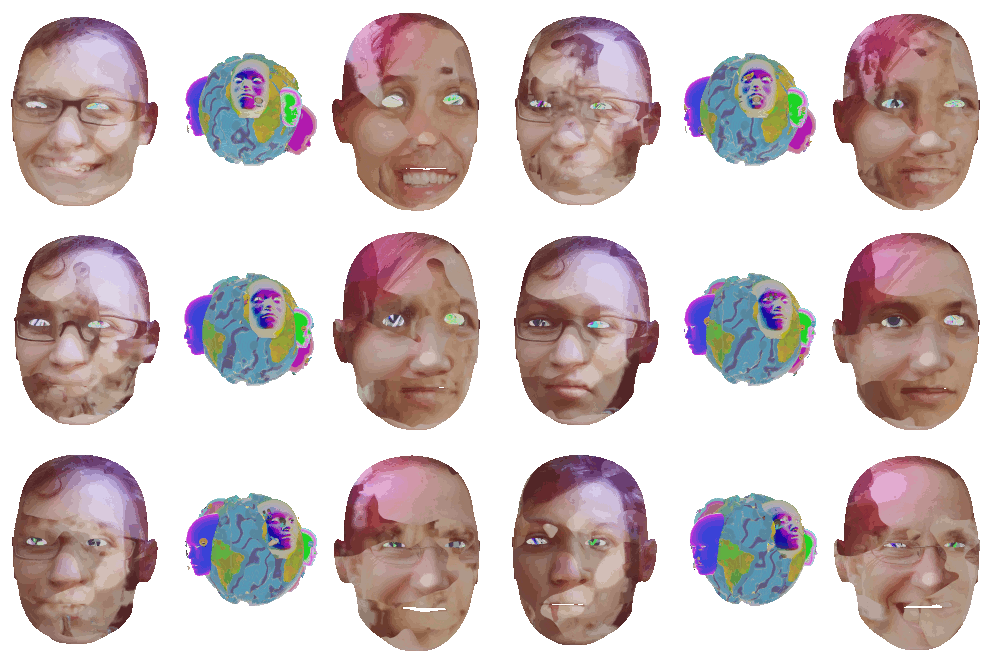
These faces continue to morph between lots of different faces, suggesting that when getting to know people you can never really settle on who they are. To make the faces morph I used motion interpolation to morph between each face. Here’s what Wikipedia has to say about motion interpolation.